01 Convert an image
Choose cartoon or realistic style, then adjust size, colors, and background.
 Perler Beads Generator
ONE BEAD AT A TIME
Turn a favorite image into a bead pattern with MARD colors. Refine the details with layers and drawing tools, then export a chart and a materials list.
Images processed in your browser · No installation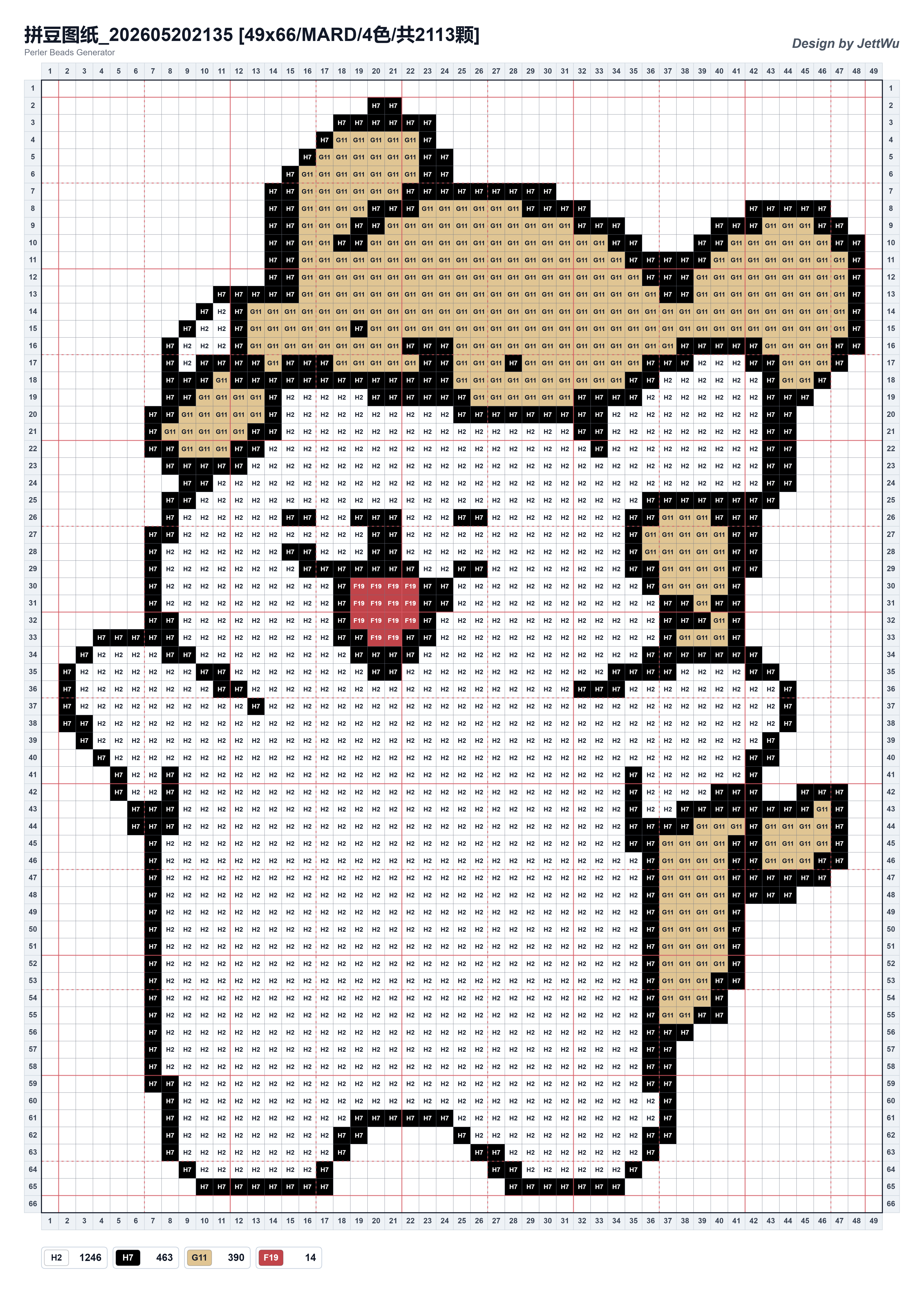
FROM IMAGE TO HANDMADE
Choose cartoon or realistic style, then adjust size, colors, and background.
Use drawing tools, layers, and a reference image to shape your pattern.
Export PNG or PDF charts, an Excel materials list, and an editable JSON project.
Choose from the MARD Basic 221 or Complete 291 palette, count beads by color, and estimate packs. A 3D preview helps you inspect your design.
Read the color & materials guide →Start with a small, clear image and learn how size, color limits, and export options affect the result.
Read the getting started guide →Local image conversion, editing, and exports work without signing in. Publishing, detailed marketplace color usage, opening shared patterns, and JSON downloads require an account.
PNG and PDF charts, Excel materials lists, and editable JSON project files.
Conversion and editing happen in your browser. Only patterns you actively publish to the marketplace are sent to the server.
The palette is a matching aid. Screens, lighting, and manufacturing batches affect color; check actual beads before preparing supplies.